Impact analysis example
What breaks when you change Drizzle ORM (drizzle-orm)?
Real arc impact output on Drizzle ORM (drizzle-orm) — same structure as the homepage demo. Know blast radius before you merge.
Project: Drizzle ORM (drizzle-orm) · Score: 49.9/100 (High architecture risk) · 447 modules · 3,044 edges
Engineering decision simulation
Validation procedure 01 · merge vs. hold before output
Before arc impact
You plan a change to a high fan-in module in Drizzle ORM (drizzle-orm). Would you merge without knowing blast radius?
Typical answer: hold — need dependency context.
After arc impact
Structured output below: score, hotspots, corridors, and high-risk modules — same field schema as the homepage proof.
Decision: confirm hold, narrow change, or inspect paths first.
Published as part of the validation record. Run locally: arc impact <file-you-are-changing>
Architectural Risk Map
Where risk accumulates by control surface — drill down Surface → Substrate → Mechanism → Evidence.
See control surfaces →Dependency evidence
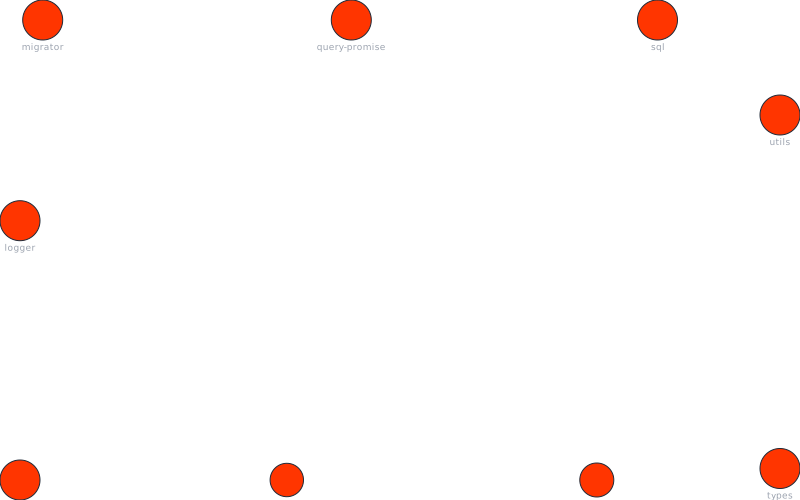
Architecture visualization
Diagrams are generated from ArcSight analysis data. Dependency graph and risk map show key modules; subsystem view shows high-level structure.


Architecture score & metrics
Score: 49.9/100 · Stability: 0/100 · Status: critical · Confidence: 100%
- Dependency cycles: 100+
- Duplicate authorities: 226
Modules to inspect
One row per module. Fan-in is direct dependents. Blast radius is downstream modules reachable from that file.
- src/entity308 dependents
- src/utils194 dependents
- src/sql/sql168 dependents
- src/column147 dependents
- src/column-builder134 dependents
- src/logger62 dependents
- src/cache/core/types39 dependents
- src/query-promise32 dependents
- src/entity431 modules
- src/logger424 modules
- src/cache/core/types424 modules
- src/query-promise424 modules
- src/migrator424 modules
- src/utils423 modules
- src/sql/sql423 modules
| Module | Fan-in | Blast | Risk |
|---|---|---|---|
| src/entity | 308 | 431 | CRITICAL |
| src/logger | 62 | 424 | CRITICAL |
| src/cache/core/types | 39 | 424 | CRITICAL |
| src/query-promise | 32 | 424 | CRITICAL |
| src/migrator | 30 | 424 | CRITICAL |
| src/utils | 194 | 423 | CRITICAL |
| src/sql/sql | 168 | 423 | CRITICAL |
| src/column | 147 | CRITICAL | |
| src/column-builder | 134 | CRITICAL |
Architectural gravity centers
src/entity— concentrates too many responsibilitiessrc/entity— shared utility hubsrc/logger— concentrates too many responsibilitiessrc/logger— shared utility hubsrc/cache/core/types— concentrates too many responsibilities
CLI workflow
Scan → Fix → Finish → Watch. Nothing else required.
arc scanFind issuesarc fixApply fixesarc finishResolve remainingarc watchKeep clean
Key takeaways
- •Structural scan reports dependency cycles — inspect impact paths before refactors that cross module boundaries.
- •High fan-in modules are change-risk zones; run
arc explain <path>before refactoring. - •Run the full workflow (analyze, hotspots, explain, impact, snapshot, drift) in your repo for deterministic architecture insights.
Run ArcSight on your repo
Install the CLI and run analyze, then hotspots and explain for the same workflow.
This case study is generated from ArcSight analysis data. View short analysis. View all analyses