Impact analysis example
What breaks when you change NATS.js (core)?
Real arc impact output on NATS.js (core) — same structure as the homepage demo. Know blast radius before you merge.
Project: NATS.js (core) · Score: 96.3/100 (Excellent architecture) · 31 modules · 114 edges
Engineering decision simulation
Validation procedure 01 · merge vs. hold before output
Before arc impact
You plan a change to a high fan-in module in NATS.js (core). Would you merge without knowing blast radius?
Typical answer: hold — need dependency context.
After arc impact
Structured output below: score, hotspots, corridors, and high-risk modules — same field schema as the homepage proof.
Decision: confirm hold, narrow change, or inspect paths first.
Published as part of the validation record. Run locally: arc impact <file-you-are-changing>
Architectural Risk Map
Where risk accumulates by control surface — drill down Surface → Substrate → Mechanism → Evidence.
See control surfaces →Dependency evidence
Architecture visualization
Diagrams are generated from ArcSight analysis data. Dependency graph and risk map show key modules; subsystem view shows high-level structure.


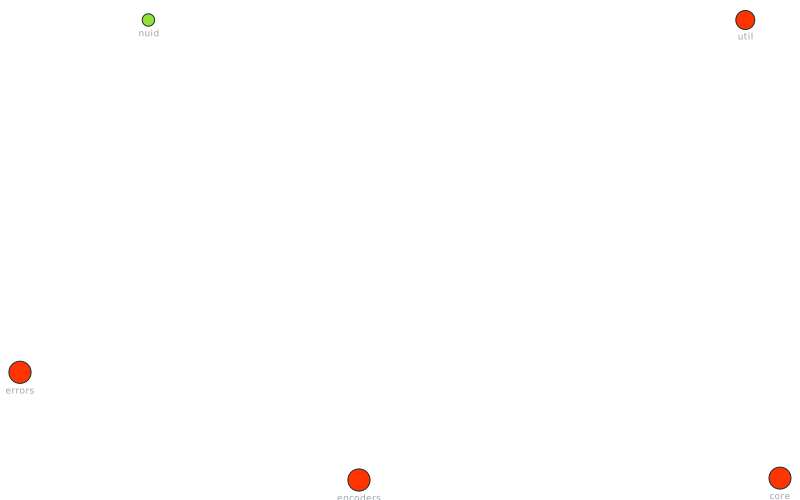
Architecture score & metrics
Score: 96.3/100 · Stability: 61/100 · Status: healthy · Confidence: 100%
Modules to inspect
One row per module. Fan-in is direct dependents. Blast radius is downstream modules reachable from that file.
- src/core18 dependents
- src/encoders12 dependents
- src/errors12 dependents
- src/util10 dependents
- src/nuid3 dependents
- src/encoders20 modules
- src/errors20 modules
- src/core19 modules
- src/util11 modules
| Module | Fan-in | Blast | Risk |
|---|---|---|---|
| src/encoders | 12 | 20 | LOW |
| src/errors | 12 | 20 | LOW |
| src/core | 18 | 19 | LOW |
| src/util | 10 | 11 | LOW |
| src/nuid | 3 | LOW |
Architectural gravity centers
src/encoders— concentrates too many responsibilitiessrc/encoders— shared utility hubsrc/errors— concentrates too many responsibilitiessrc/errors— shared utility hubsrc/core— concentrates too many responsibilities
CLI workflow
Scan → Fix → Finish → Watch. Nothing else required.
arc scanFind issuesarc fixApply fixesarc finishResolve remainingarc watchKeep clean
Key takeaways
- •Architecture score 96.3/100 indicates a healthy structure with room to reduce cycles and violations.
- •High fan-in modules are change-risk zones; run
arc explain <path>before refactoring. - •Run the full workflow (analyze, hotspots, explain, impact, snapshot, drift) in your repo for deterministic architecture insights.
Run ArcSight on your repo
Install the CLI and run analyze, then hotspots and explain for the same workflow.
This case study is generated from ArcSight analysis data. View short analysis. View all analyses