What ArcSight found
src/encoders: fan-in 12, blast radius 20, LOW. 31 modules and 114 dependency edges traced.
← HomepageAll repository proofValidation recordState of TS Architecture 2026
Repository proof
Real arc impact on NATS.js (core) — blast radius, break paths, and evidence. Same question as the homepage: what breaks if I change this?
Project: NATS.js (core) · Score: 96.3/100 (Excellent architecture) · 31 modules · 114 edges
arc impact src/encodersRun the same analysis on your repository in under 3 minutes.
Four questions every public repository page must answer — see validation record.
One row per module. Fan-in is direct dependents. Blast radius is downstream modules reachable from that file.
| Module | Fan-in | Blast | Risk |
|---|---|---|---|
| src/encoders | 12 | 20 | LOW |
| src/errors | 12 | 20 | LOW |
| src/core | 18 | 19 | LOW |
| src/util | 10 | 11 | LOW |
| src/nuid | 3 | LOW |
src/encoders: fan-in 12, blast radius 20, LOW. 31 modules and 114 dependency edges traced.
In NATS.js (core), Change-risk signal at src/encoders (fan-in 12) — merge impact can travel beyond the diff you see. Blast radius on src/encoders reaches 20 downstream modules. ArcSight answers “what breaks if I change this?” before you ship; high fan-in is a change-risk signal, not a verdict on design quality.
Where risk accumulates by control surface — drill down Surface → Substrate → Mechanism → Evidence.
See control surfaces →Diagrams are generated from ArcSight analysis data. Dependency graph and risk map show key modules; subsystem view shows high-level structure.


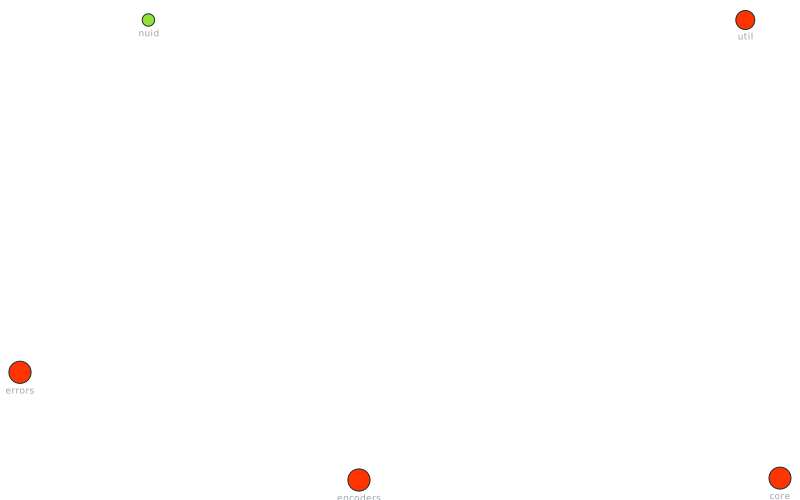
Score: 96.3/100 · Stability: 61/100 · Status: healthy · Confidence: 100%
src/encoders— concentrates too many responsibilitiessrc/encoders— shared utility hubsrc/errors— concentrates too many responsibilitiessrc/errors— shared utility hubsrc/core— concentrates too many responsibilitiesImpact, then scan, fix, finish, and watch.
arc impact <file>See what a change breaksarc scanFind issuesarc fixApply fixesarc finishResolve remainingarc watchKeep clean| Metric | Value |
|---|---|
| Architecture score | 96.3/100 |
| Modules | 31 |
| Edges | 114 |
arc explain <path> before refactoring.Install locally, then run arc impact on the file you plan to change — before merge.
Use this iframe to show the architecture badge on your site.
<iframe src="https://arcsight.ai/embed/nats/" width="320" height="180" frameborder="0"></iframe>Evidence-backed analysis snapshot. Validation record · Install · Homepage demo